Publish faster. Stay audit-ready.
AI-assisted meta-analysis from question to manuscript. Axelium combines intelligent screening and extraction with reproducible statistics — so your team delivers rigorous reviews in days, not months.
From question to living review, in four steps.
Find the evidence, screen and extract it, analyse and grade it, then report and keep it current. Each step hands its audit trail to the next.
Find evidence
Build searches, import references, de-duplicate records, and keep the source trail visible from the start.
Screen and extract
Move from title/abstract decisions to full-text review and source-linked extraction without switching tools.
Analyse and grade
Run pairwise or network synthesis, inspect diagnostics, and connect certainty review to the underlying evidence.
Report and keep current
Export review artefacts, preserve sign-off, and turn completed reviews into living evidence workflows.
Every stage, integrated. Then kept current.
From research question to published manuscript to a living evidence base — every stage integrated, auditable, and designed for teams that demand rigour.
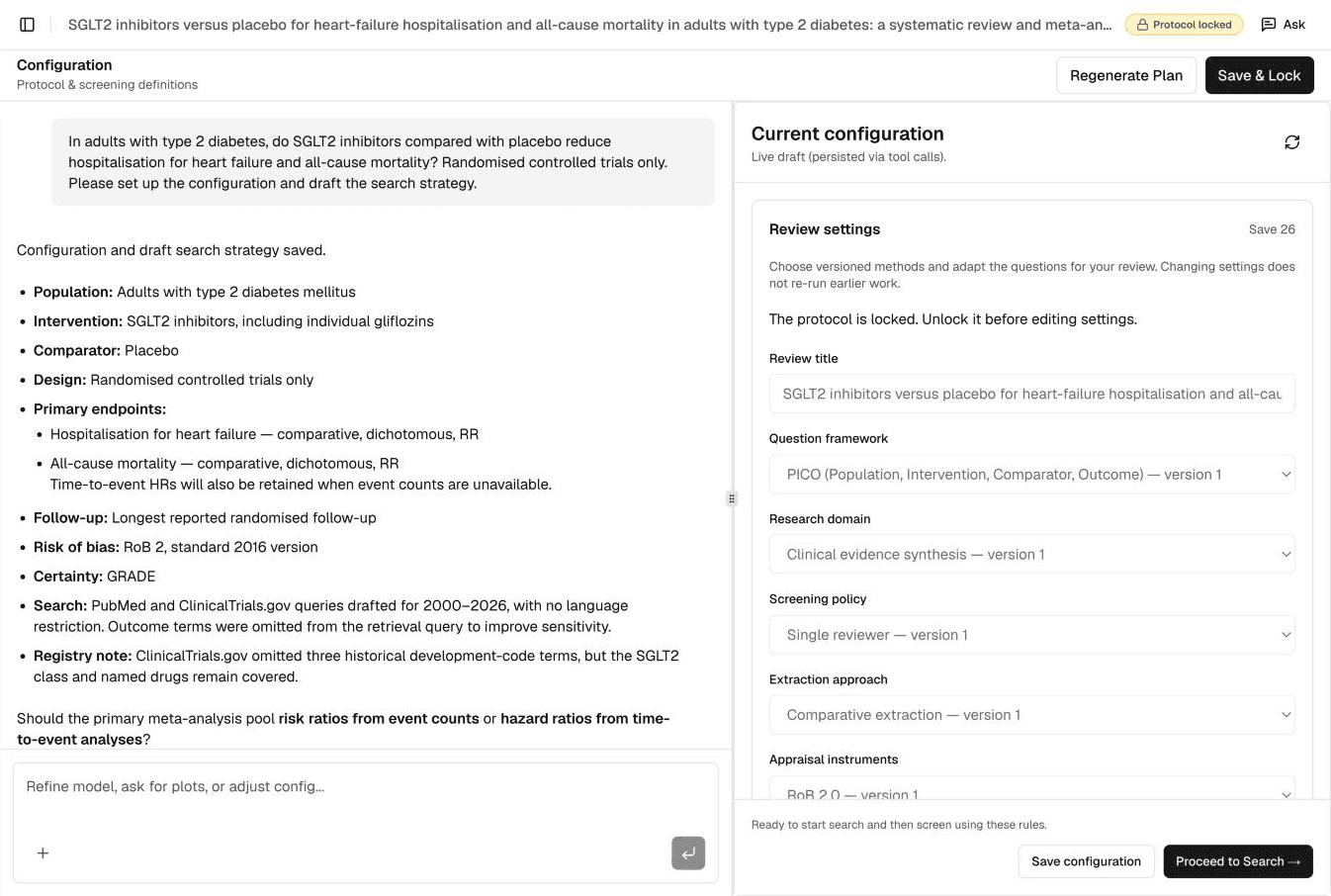
Protocol Configuration
Chat with the AI to define your PICO or PEO framework. Axelium automatically generates and tests optimised PubMed and CT.gov query strings.
Seen enough? — free tier runs the full pipeline on one real review, end to end.
Configure the review your protocol describes.
Quantitative, qualitative and mixed-methods reviews, end to end. Each review carries its own settings: question framework, research domain, screening policy, extraction approach and appraisal instruments.
A quantitative review framed with PICO, appraised with Cochrane RoB 2.0, screened by AI plus you, at a 95% confidence level.
Ask your review anything. Get the quoted passage back.
One assistant, three scopes: a review, your portfolio, your organisation’s library. In a review it answers only from that review’s own recorded data: what has been extracted, what is missing, values awaiting review, how the review is set up, and why a record was screened in or out, with the quoted passage.
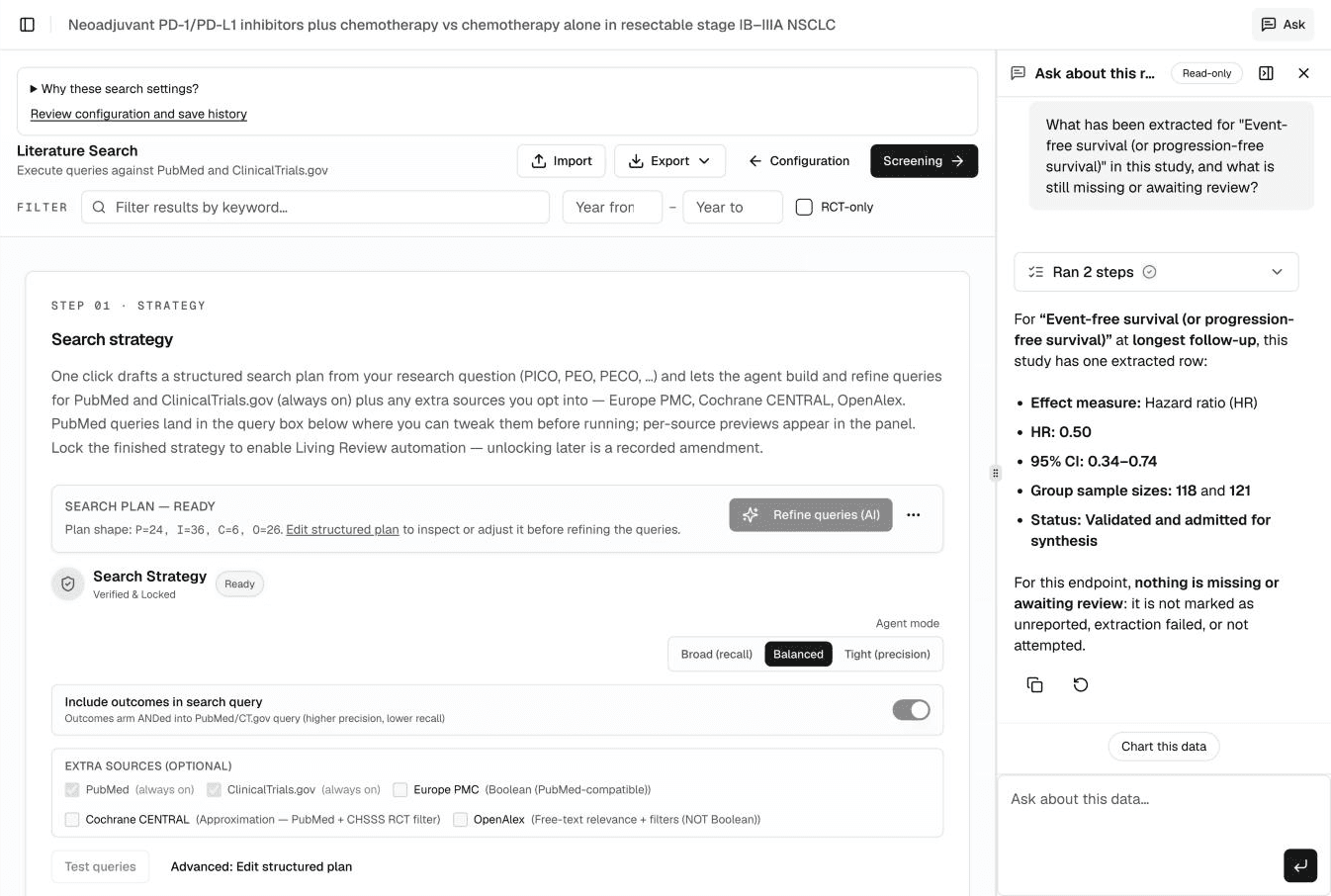
A review
An Ask button in the review header opens a panel that stays open as you move between the review’s pages. In Configure, you can attach a PDF, for example a protocol; answers cite its pages and nothing changes until you confirm.
Your portfolio
Ask across reviews from the portfolio: saved conversations over up to 50 reviews at once.
Your organisation’s library
Readers of an organisation’s evidence library get answers drawn only from published reviews, with references.
Bring your own method. Keep the audit trail.
For methods outside the built-in set, run your own R against a frozen, versioned copy of the dataset, with explicit approval of each run.
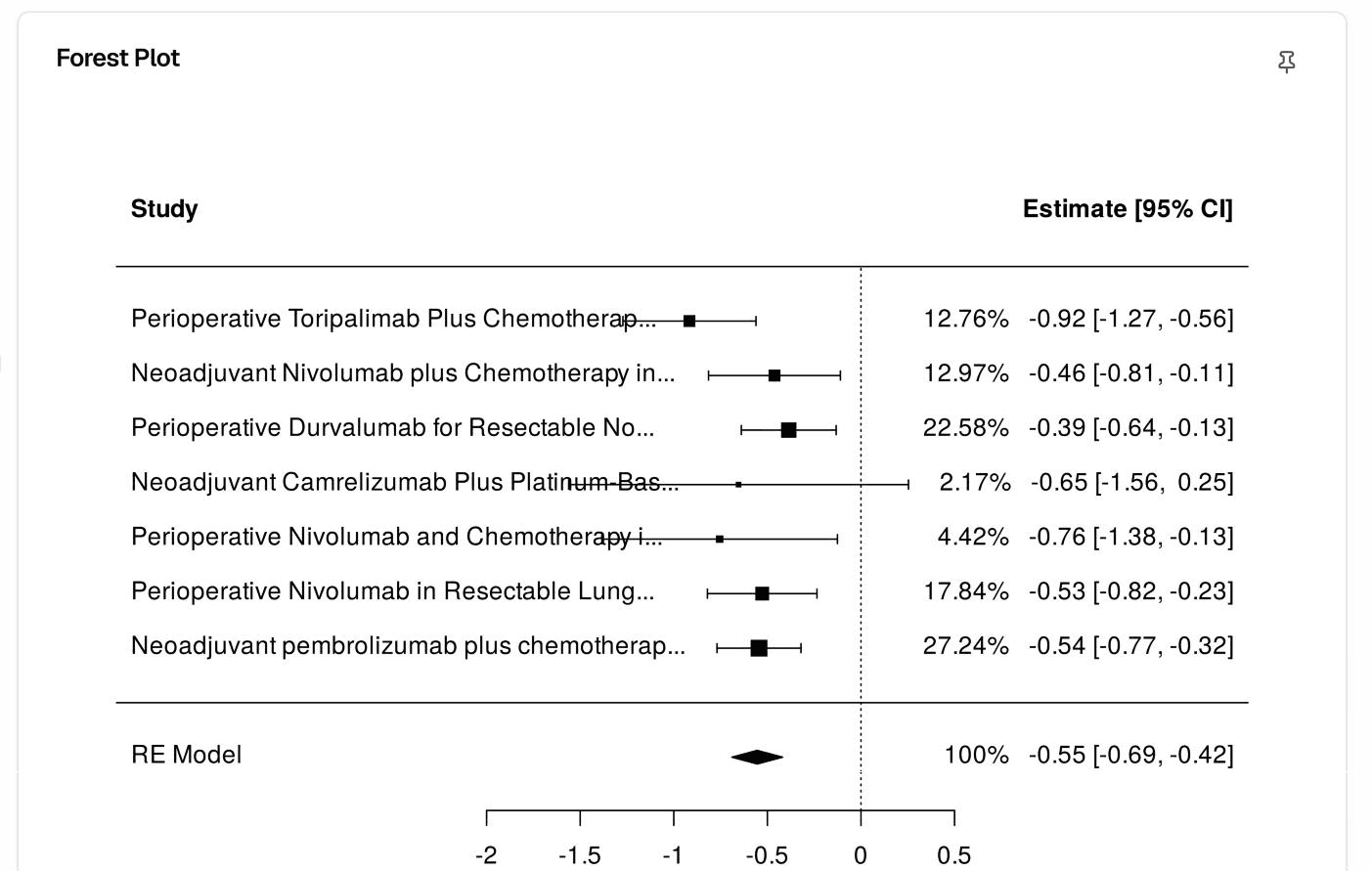
- 01Ask in a sentenceAsk the statistics assistant for an analysis in a sentence; it runs in deterministic code.
- 02Approve the runEach run needs your explicit approval. Larger jobs (multi-file analyses, extra packages, simulations) run in the Analysis Workbench in the background with live progress.
- 03Result with lineageThe result comes back with traceable lineage, marked as user-defined.
- 04Save as recipeA custom result can be saved as a recipe and reproduced on the exact same data.
Every search becomes a PRISMA flow.
The diagram updates itself as records move through the pipeline. Identification, screening, eligibility, included — with every exclusion category linked to the studies it removed. Export as Word, PDF, or a publication-ready figure with one click.
- Counts trace to the underlying studies — every number in the diagram is a live link in the app.
- Conforms to PRISMA 2020. Every reviewer decision is timestamped and reproducible.
- Living reviews keep the diagram current — the version in your manuscript matches the one in the app.
Each exclusion category traces to the studies it removed. Click any number in the live app to see the underlying list.
Detect publication bias at a glance.
A funnel plot puts every included study on a single chart — precision on the vertical axis, effect size on the horizontal. Asymmetry is the visual fingerprint of missing small negative trials. The plot is paired with Egger’s and Begg’s tests so a reviewer can quote both the picture and the number.
- HTA submissions require a publication-bias appraisal whenever ten or more studies are pooled — the funnel plot is the expected first artefact.
- Contour-enhanced and trim-and-fill variants are one click away, with the statistical tests and a plain-language interpretation alongside the figure.
- Every plot is regenerated when new evidence arrives — the figure in your dossier matches the live evidence base on the day you submit.
Compare every intervention in one connected workflow.
Axelium connects review evidence to advanced synthesis: teams can prepare treatment networks, review assumptions, inspect network outputs, and keep certainty review tied to the extracted data that produced the model.
- Prepare treatment nodes before interpreting a connected evidence network.
- Inspect network graphs, league tables, rankings, and diagnostics in the same workspace as extraction.
- Keep rankings separate from certainty, with reviewer checkpoints before conclusions move into a report.
Every reviewer-facing tool implements a published methodological standard. The references below are the ones our automation answers to — not in spirit, in code.
Drops into your existing review workflow.
Bring your references in, send your manuscript out — Axelium connects to the databases, reference managers, and authoring tools you already use.
Reference files
Import RIS or BibTeX from EndNote, Zotero, Mendeley, Embase, and Web of Science.
Cochrane handoff
Export to RevMan 5 (.rm5) for risk-of-bias and final authoring.
Databases
PubMed, ClinicalTrials.gov, EuropePMC, OpenAlex, CENTRAL, MAUDE, ERIC.
Citation graph
Walk references, citers, and recommendations via Semantic Scholar.
Work accounts
Sign in with Google or Microsoft — no extra password to manage.